The Science Behind AI Text Removal: How It Works
Curious how AI wipes text clean without smears? We unpack inpainting, diffusion steps, and a quick Pixflux.AI workflow you can try today.
 Richard SullivanNovember 5, 2025
The Science Behind AI Text Removal: How It Works to Remove Text from Image
If you’ve ever tried to publish a product photo or social post only to find a date stamp, “SAMPLE” text, or a subtle watermark across the subject, you know removing text isn’t a simple clone-and-heal job. Real scenes have gradients, shadows, repeated textures, and compression artifacts. Text often crosses edges or semi-transparent surfaces—think frosted glass on a perfume bottle or fabric on apparel—making clean reconstruction tricky.
Many teams still rely on manual retouching, but the time cost adds up, especially in ecommerce where catalogs change weekly. What actually works at scale today is AI inpainting—sometimes called semantic fill. Modern tools such as Pixflux.AI use diffusion-based models to infer what “should” be behind the text and synthesize consistent pixels. If you need a fast, practical demo, try a targeted workflow to remove text from image and compare results to your current process.
Below, we’ll unpack the underlying technology, show an end-to-end pipeline, and then walk through a quick hands-on example in Pixflux.AI. We’ll also cover quality metrics, edge-case troubleshooting, and ethical boundaries for watermark handling.
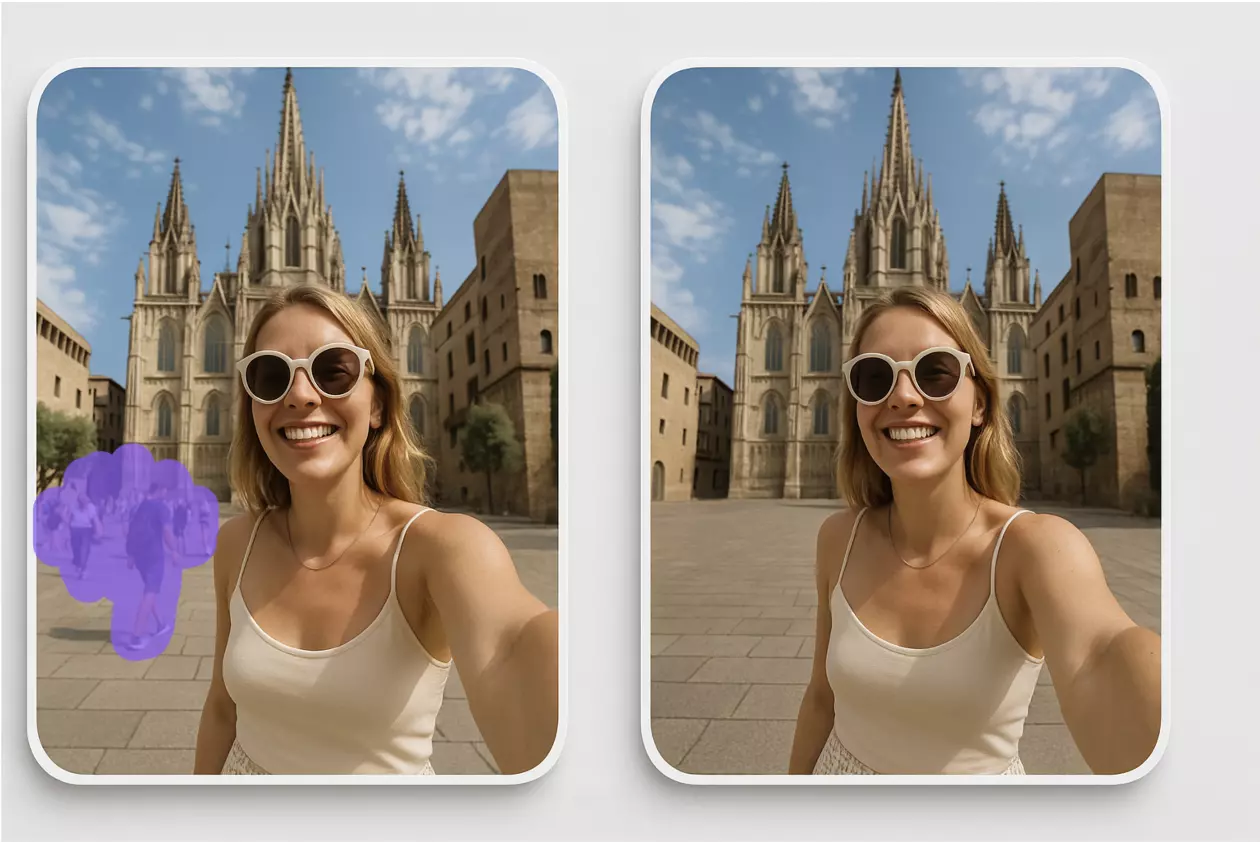
(See figure: an inpainting pipeline diagram, showing input with a masked text region, context encoder, diffusion-based generator, and reconstructed output.)
Why removing text in real scenes is non-trivial
- Text breaks structure. Overlays rarely sit on uniform backgrounds; they cut across edges, glossy highlights, and textures such as wood grain, denim, or hair.
- Compression noise matters. JPEG ringing and chroma subsampling distort text edges, creating halos that make simple blending obvious.
- Transparency and blending. Semi-transparent logos mix with underlying pixels; removing them requires estimating original content—not just painting over gray patches.
- Repeated patterns are deceptive. Wallpaper, tiles, and fabrics look simple but are hard to regenerate seamlessly without obvious repeats or phase shifts.
The upshot: a good system must understand context and synthesize plausible detail—not just smear nearby pixels.
From patch-based inpainting to semantic fill: a short history
- Early methods (telea/fast marching, exemplar-based patch fill) propagate nearby pixels into the masked area. They work well for small defects on fairly uniform textures.
- CNN-based inpainting improved global consistency. Encoder–decoder networks learned to generate structure but sometimes produced blurry or unrealistic textures.
- GANs sharpened results but could hallucinate artifacts or miss fine alignment with surrounding content.
- Diffusion models changed the game. By iteratively denoising under a mask constraint and using attention to large context windows, diffusion-based inpainting reconstructs textures and edges with high fidelity. In 2025, diffusion–transformer hybrids further stabilize long-range texture continuity, especially for complex backgrounds.
Inside the model: masks, context windows, diffusion steps, and guidance
- Masking. The user or model identifies the text region. Masks are often dilated slightly to include halos and compression artifacts.
- Context window. The inpainting model looks beyond the mask boundaries—larger context windows reduce seams and preserve perspective and lighting continuity.
- Diffusion steps. The model iteratively refines noise into content that fits the available pixels around the mask. More steps can improve detail but cost more time.
- Guidance. Classifier-free guidance steers the generation toward realistic textures and away from ambiguous fill. Some systems incorporate prompts or learned priors for “backgroundness,” so the fill respects material cues (wood grain vs. sky vs. fabric).
- Post-processing. Seam-aware blending, color matching, and mild sharpening help align the generated patch with surrounding pixels.
Training data: synthetic overlays, fonts, and watermark patterns
To remove text from image reliably, models must see thousands of overlay variants during training:
- Synthetic text overlays using diverse fonts, sizes, colors, strokes, and blend modes (normal, multiply, screen).
- Transformations such as perspective warp, motion blur, partial occlusion, and curved surfaces to simulate real product packaging or signage.
- Watermark patterns: repeating logos, tiled diagonals, semi-transparent symbols with unique alphas.
- Hard negatives: cluttered scenes, micro-textures, and glare, which teach the model to separate overlay artifacts from true scene structure.
This diverse pretraining helps the model generalize to typical ecommerce and social content.
How modern systems remove text from image: an end-to-end pipeline
- Input and mask creation
- The user highlights the text or watermark region. Some tools auto-suggest masks for high-contrast text; manual refinements capture soft halos.
- Preprocessing
- Optionally upsample to give the model more room for detail.
- Normalize color and estimate lighting gradients around the mask.
- Diffusion inpainting
- Run a diffusion inpainting model with a sufficiently large context window and medium-to-high guidance to preserve realism.
- Seam-aware blending
- Feather mask edges; color-match the generated patch to the surrounding pixels; correct perspective if needed.
- Optional enhancements
- Apply super-resolution, contrast tuning, or mild denoising to remove compression artifacts.
- Review
- Human verification ensures no ghosting or repetitive artifacts remain.
Quality often improves with a second quick pass on stubborn edges or by slightly expanding the mask to catch halos.
Evaluation and quality metrics: SSIM, LPIPS, PSNR, and human review
- PSNR (Peak Signal-to-Noise Ratio): Useful for synthetic benchmarks with ground-truth backgrounds, though less aligned with human perception.
- SSIM (Structural Similarity): Captures structure and contrast consistency; good for edge continuity checks.
- LPIPS (Learned Perceptual Image Patch Similarity): Better correlates with human judgments of realism.
- Human review: For ecommerce and brand assets, expert eyes still matter. Teams often run side-by-side visual checks on catalog samples and track operational metrics like rework rates or listing rejection rates.
In practice, you combine automated metrics for regression safety with human spot checks for visual quality.
Hands-on: remove text from image with Pixflux.AI in three steps
If you want a fast, practical workflow without a learning curve, here’s a simple process using Pixflux.AI.
- Upload your image
- Open the AI text remover.
- Drag and drop a JPG/PNG. For best results, use the highest-resolution version you have.
- Let AI process the text region
- Choose the text/watermark removal tool and run the AI. The system analyzes surrounding pixels and reconstructs the area under the overlay.
- Preview the result. If the text sat on a gradient or glossy highlight, you can re-run once after slightly expanding the selection to catch halos.
- Download the clean image
- Export in the format you need for your store or social platform.
(Pro tip: When overlaid text crosses repetitive textures—tiles, brick, fabric—run a second pass if you spot repeating patterns. Two quick passes are often faster than manual touch-ups.)
(See figure: Pixflux.AI interface illustrating the three-step flow: upload, process, download. Also include a before–after comparison of a product photo with and without a watermark.)
Advanced use cases: watermark remover, background repair, and object cleanup
- Watermark cleanup. Tiled, semi-transparent logos benefit from a slightly expanded mask and two passes to remove residual patterns.
- Background repair. If text sat on a messy scene, you can remove extra clutter around the subject using AI object cleanup, then finalize with text removal for a cleaner hero image.
- Background optimization for ecommerce. After removing text, switch to AI background removal or replacement to put products on brand-friendly backdrops, or generate a new background that fits your storefront’s style.
- Batch projects. For seasonal catalog refreshes, batch upload multiple images and process them together so the team can focus on content and pricing updates.
Pixflux.AI supports watermark removal, background edits, object cleanup, image enhancement, and batch processing—all helpful for sellers managing large inventories or creators standardizing visual style across campaigns.
Troubleshooting edge cases: gradients, repeated textures, and compression noise
- Strong gradients or specular highlights
- Expand the mask by a few pixels to include halos. Re-run with slightly higher guidance to keep highlight shape intact.
- Repeated textures (brick, tiles, fabric)
- After the first pass, zoom in for faint repeats. If visible, regenerate just the affected subarea with a small overlap to break repetition.
- Compression noise
- Upscale 1.5–2x before inpainting, then downscale after. This gives the model more room to resolve artifacts and often removes ringing on edges.
- Hairline edges and text on contours
- Use a feathered mask and preview at 100%. If edges look soft, a second pass with a thinner mask can reinforce contours.
- Very small text
- When the overlay is tiny, a gentle denoise after inpainting can hide residual speckles without blurring the subject.
Workflow and speed: batching, hardware acceleration, and online vs. desktop tools
- Batching. For ecommerce teams, the ability to process dozens of images at once is critical. Batch operations standardize outputs and cut repetitive clicks.
- Hardware acceleration. On-device NPUs are making near real-time removal possible in some creative apps, but for many teams, an online tool provides a balanced mix of speed and convenience without workstation constraints.
- Online vs. desktop
- Online tools: Zero setup, consistent results across teammates, straightforward batching.
- Desktop software: Maximum control and offline processing but requires updates, disk space, and skill with advanced retouching tools.
Pixflux.AI leans into speed and simplicity—ideal when you need to remove text from image quickly and reliably without deep training.
AI online tools vs. traditional methods
- Time cost
- AI tools generate a clean result in seconds. Manual cloning and healing can take minutes per image, longer for complex scenes.
- Learning curve
- Traditional software demands advanced masking, blending, and texture synthesis skills. AI workflows are point-and-run, with minor tweaks as needed.
- Batch efficiency
- Automated batches let you clear an entire folder in one session; manual retouching scales linearly with image count.
- Consistency
- AI inpainting provides repeatable outputs across a team. Hand edits vary by retoucher.
- Control
- Traditional tools offer pixel-level control for niche cases. AI covers 80–90% of needs and leaves only the trickiest outliers for manual fine-tuning.
For many orgs, the pragmatic hybrid is: use an AI online tool like Pixflux.AI for the majority, escalate rare edge cases to a specialist.
Ethics and boundaries in text and watermark removal
- Ownership and consent. Only process images you own or are licensed to edit. Respect brand and photographer rights.
- Platform rules. Some marketplaces require disclosing edits or prohibit removing watermarks from unlicensed images. Always check your platform’s policies.
- Disclosure. If you’re restoring archival material or editorial content, consider noting that overlays were removed to preserve context.
Use watermark and text removal responsibly. These features are designed to clean your own assets, not to bypass licensing.
The trendline: why this keeps getting better
- Diffusion–transformer hybrids and larger context windows are improving texture continuity and reducing seams, even on tricky surfaces.
- Ecommerce demand pushes vendors to support robust batching and high-resolution processing, bringing pro-grade cleanup to non-experts.
- Ethical handling guidelines are gaining adoption, making it clearer where and how watermark removal is appropriate.
Expect further gains in speed and realism over the next year.
Conclusion and next steps
AI inpainting has matured from a clever patch tool into a reliable, production-ready way to remove text from image. With diffusion-based reconstruction, context-aware masks, and seam-aware blending, you can clean overlays while preserving materials, lighting, and texture detail.
Put it to work on your next batch of product shots or campaign assets. Start with Pixflux.AI and quickly erase text from pictures, then layer in background edits or object cleanup as needed. When you’re ready to try it on your own files, open the Pixflux.AI workflow and get a feel for how fast the three-step process fits into your publishing cadence.
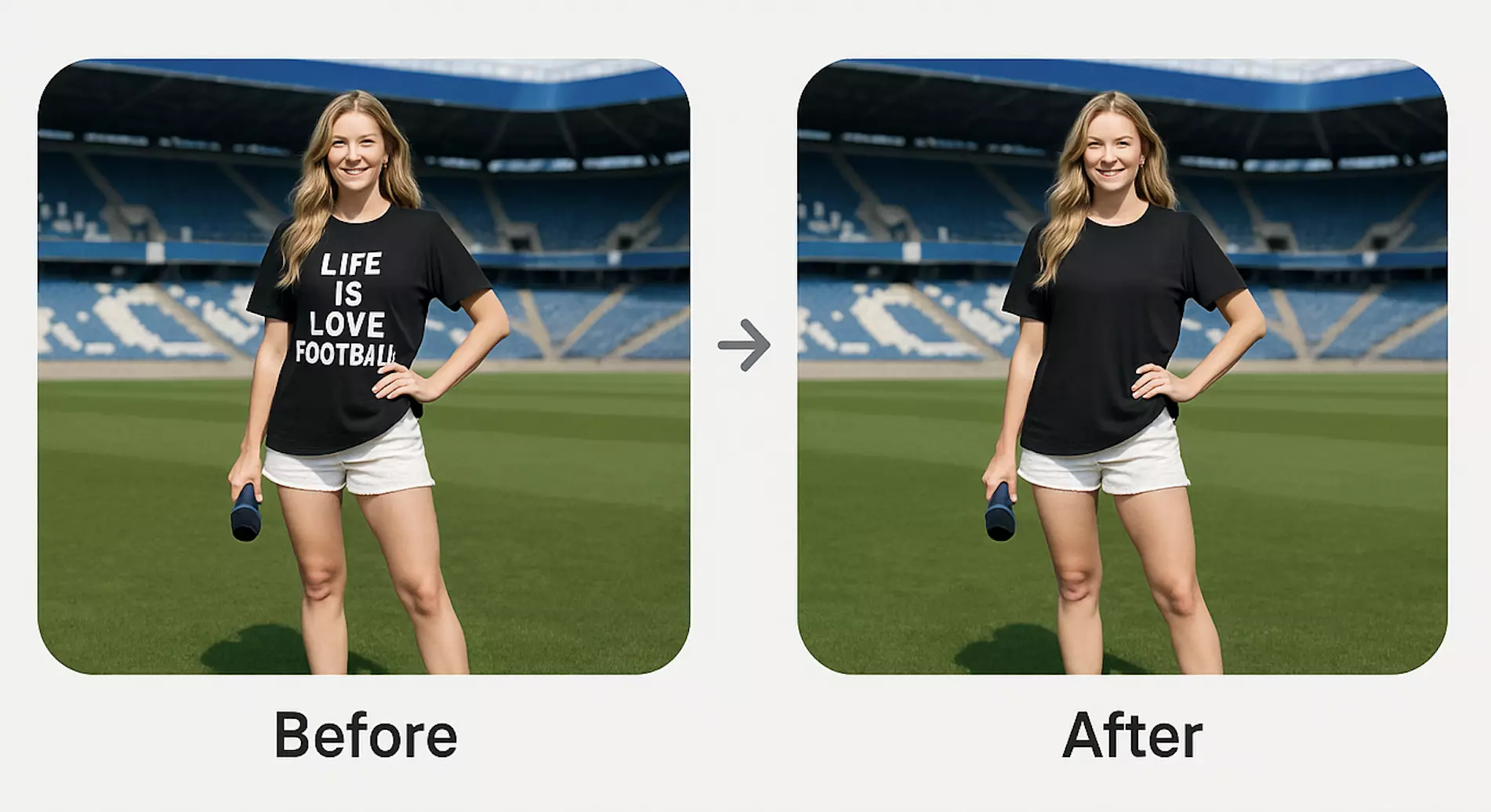
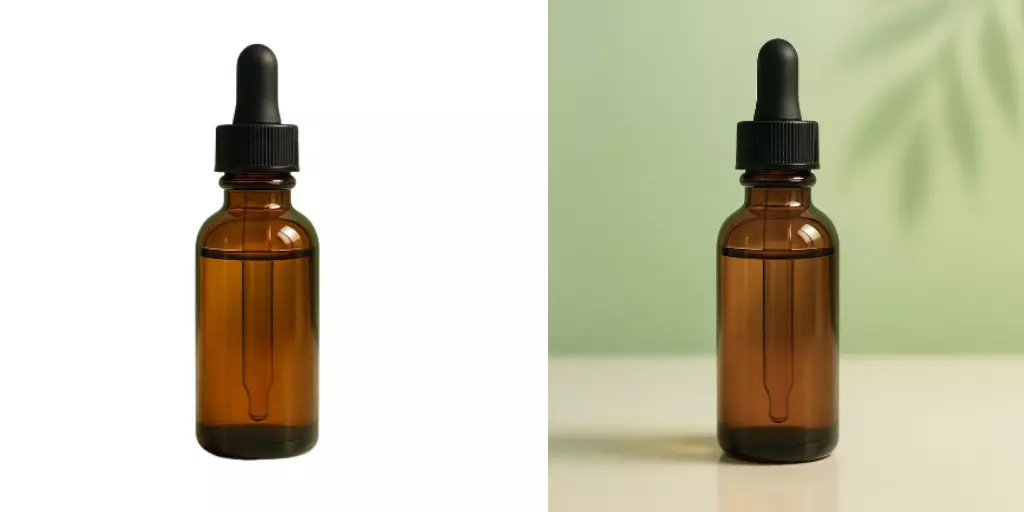
(See figure: side-by-side before–after of a product image with overlaid text and watermark versus a clean, reconstructed background.)
Ready to ship cleaner visuals today? Use Pixflux.AI’s streamlined flow to remove text from image in minutes, then download and publish.